
Introducing Workspace 🎉
We’re excited to introduce Workspace, a new way to see and manage your work in GlassFrog.
This feature is now on by default for all GlassFrog Free organizations, and will soon be live for GlassFrog Premium organizations. If you're an admin using GlassFrog Premium and would like to get started with Workspace today, you can enable the feature in Organization Settings > Features > Application by checking the Workspace box.
Workspace builds on the existing Projects and Actions features, expanding them into a more flexible, more powerful hub for handling your responsibilities across all your roles and circles.
At its core, Workspace is inspired by the principles of Getting Things Done (GTD)® by David Allen — a well-known approach to helping people focus on what matters most by making their next actions, priorities, and commitments clearer.
⸻
‘Actions’ and ‘Projects’ are now ‘Workspace’
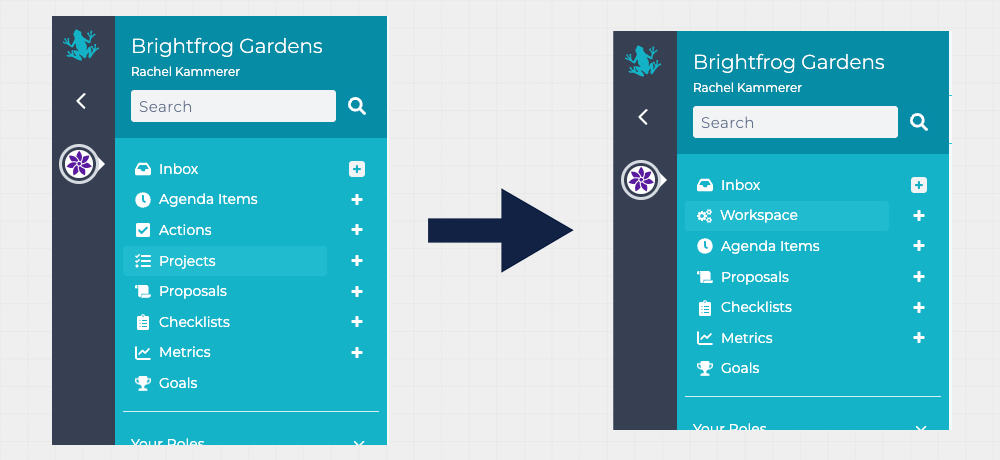
In the left navigation, the ‘Actions’ and ‘Projects’ pages are now contained in ‘Workspace’.
This is where you’ll find everything related to your Actions and Projects, all in one place.
⸻
New ways to organize your work
Workspace introduces several new views designed to help you work with more clarity and less friction:
- Focus – highlight what’s most important right now
- Next Actions – see what’s ready to be worked on
- Projects – track outcomes that take more than one step
- Waiting – keep an eye on things you’re waiting on
- Scheduled – view work planned for later
- Someday – capture ideas and work that’s not ready yet
⸻
More ways to view Projects and Actions
You can now view your Projects and Actions in multiple ways, depending on what you’re trying to do:
Details – see Projects and Actions together, with the details included
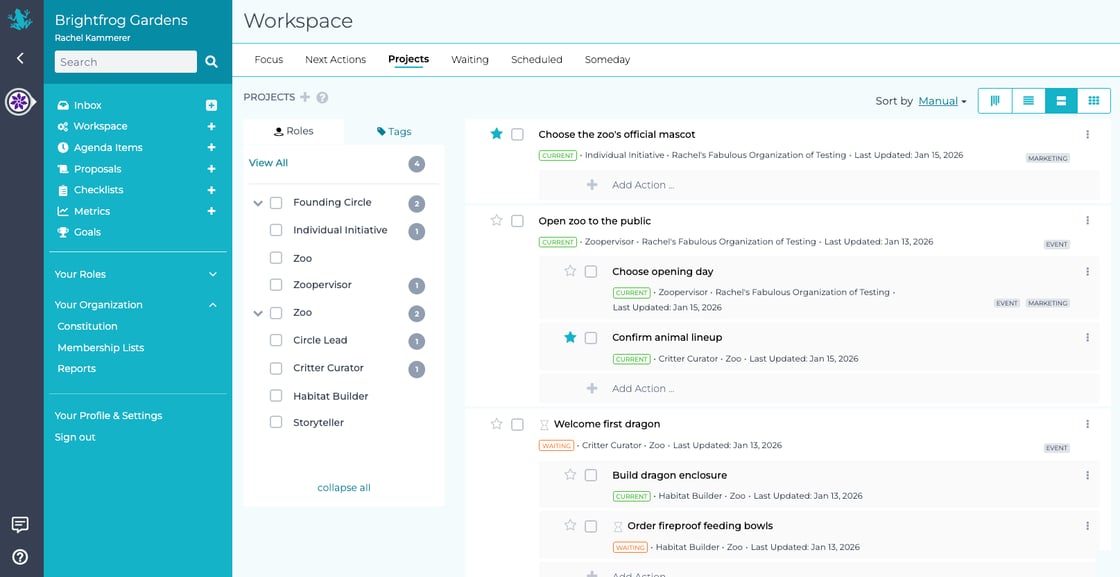
Card – a concise list view of Projects and their Actions
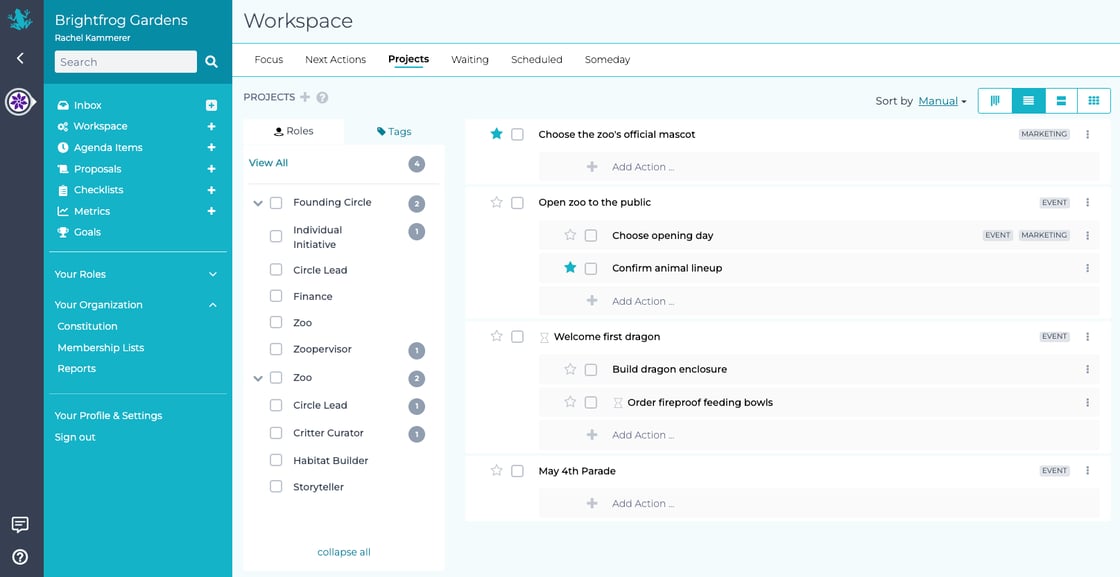
Table – quick editing and scanning of all projects
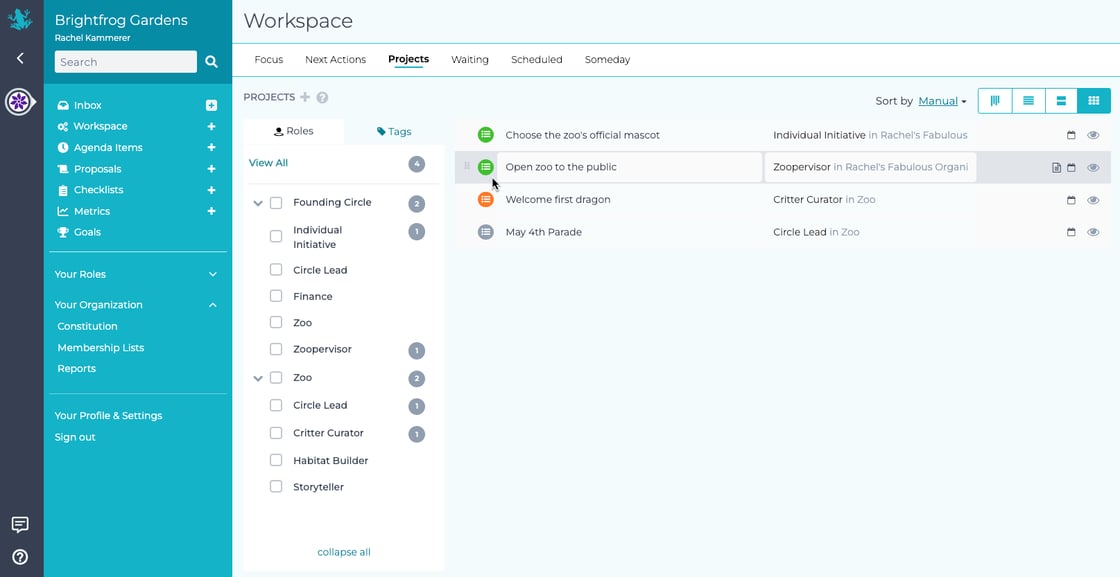
Kanban – traditional agile-style columns (which you probably already know)
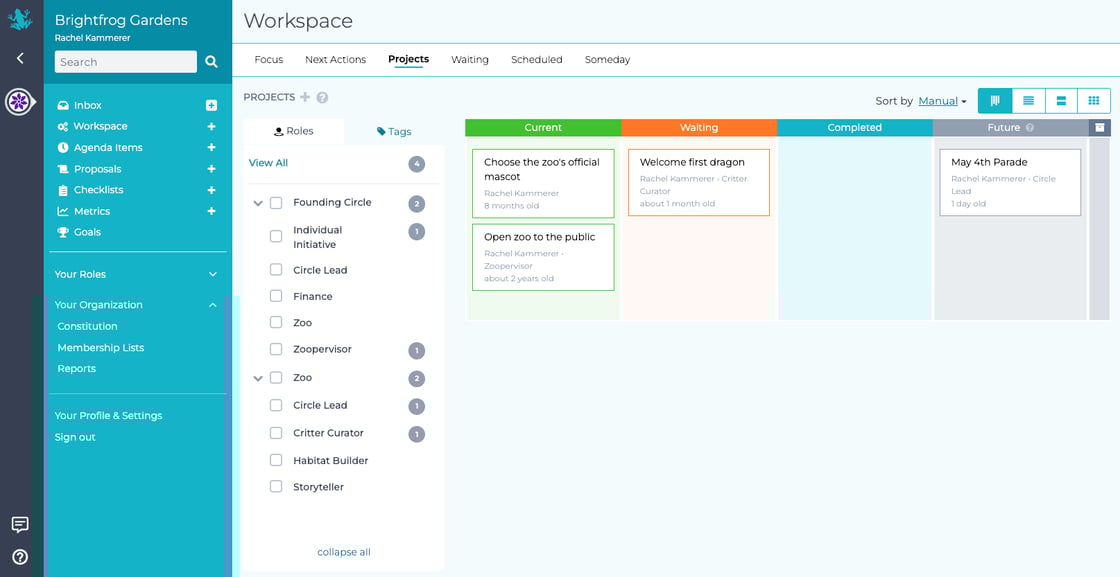
These same views are available on Circle pages, Role pages, and within Tactical Meetings, so you can see work in the context that makes the most sense.

Switching between views is quick and easy, so you can adapt as your needs change.
⸻
A few other things you might notice
- ⭐ Focus lets you highlight what matters most
- Personal Profiles now include Projects assigned to that user
- Tags make it easier to group, filter, and search Actions and Projects
Workspace is just the beginning. We’re excited to keep improving how GlassFrog supports not only GTD and project management, but also the day-to-day work that makes up your organization’s impact on the world.
⸻
If you have feedback or questions, we’d love to hear from you.
— The GlassFrog Team